
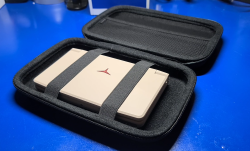
Raspberry Pi 5 AI Kit
To run a lightweight LLM on the Raspberry Pi 5 using the official Raspberry Pi AI Kit, follow these detailed steps:
Table of Contents
Prerequisites
- Raspberry Pi 5 with the Raspberry Pi OS (64-bit), fully updated.
- Raspberry Pi AI Kit (includes Raspberry Pi Camera Module and accelerators like the RP1 or VideoCore 7 GPU).
- Basic Python packages for machine learning.
Step 1: Install Dependencies
Update the system and install Python dependencies:
sudo apt update && sudo apt upgrade
sudo apt install python3 python3-pip
pip3 install numpy scipy transformers torch
Step 2: Set Up the Model
Download a small, efficient model (e.g., DistilGPT-2) for compatibility with limited hardware.
from transformers import GPT2LMHeadModel, GPT2Tokenizer
model_name = "distilgpt2"
model = GPT2LMHeadModel.from_pretrained(model_name)
tokenizer = GPT2Tokenizer.from_pretrained(model_name)
Step 3: Optimize the Model
Since the Raspberry Pi AI Kit is optimized for lightweight processing, use quantization to reduce the model size and improve performance:
import torch
model = torch.quantization.quantize_dynamic(model, {torch.nn.Linear}, dtype=torch.qint8)
Step 4: Offload Processing to the Raspberry Pi AI Kit
The AI Kit utilizes the Raspberry Pi’s GPU and RP1 co-processor. Ensure that the processing is offloaded to the GPU by using optimized libraries such as torchvision and onnxruntime for models compatible with ONNX.
- Convert to ONNX for compatibility with hardware accelerators:bashCopy code
pip3 install onnx onnxruntimeConvert the model to ONNX format and then load it withonnxruntimeto utilize the GPU.
Step 5: Run the Model
Test the setup by running a simple prompt to generate text:
input_text = "Hello, how are you?"
inputs = tokenizer(input_text, return_tensors="pt")
outputs = model.generate(inputs['input_ids'], max_length=50)
print(tokenizer.decode(outputs[0], skip_special_tokens=True))
Step 6: Monitor Performance
Since running models on a Raspberry Pi can be resource-intensive, use tools like htop to monitor CPU and GPU usage.